

Your Photos.
Always Alive.
As tuas fotografias, sempre à mostra.
Turn any Android tablet, phone or TV into a stunning always-on digital photo frame. Play photos from Synology Photos, Microsoft OneDrive, Dropbox or your local gallery. Cinematic transitions, smart location captions, and a full-screen experience your family will love.
Scroll to explore
Powerful features,
beautifully simple.
From cinematic transitions to smart location tagging — FrameSway handles it all.
10 Cinematic Transitions
Fade, Slide, Wipe, 3D Cube, Ken Burns, Page Turn, Depth Zoom, Blur Dissolve, Gallery Stack, and instant cut. Every transition crafted for visual impact.
Synology, OneDrive & Dropbox
Albums from Synology Photos on DSM 7 or later — personal, team and shared — any OneDrive folder or album and any Dropbox folder. The next photos are loaded ahead, so each one appears without waiting.
Smart Location Captions
Auto-geocodes photos via OpenStreetMap. Detects POIs, parks, stadiums and venues. Cached for speed.
Bokeh Blur Background
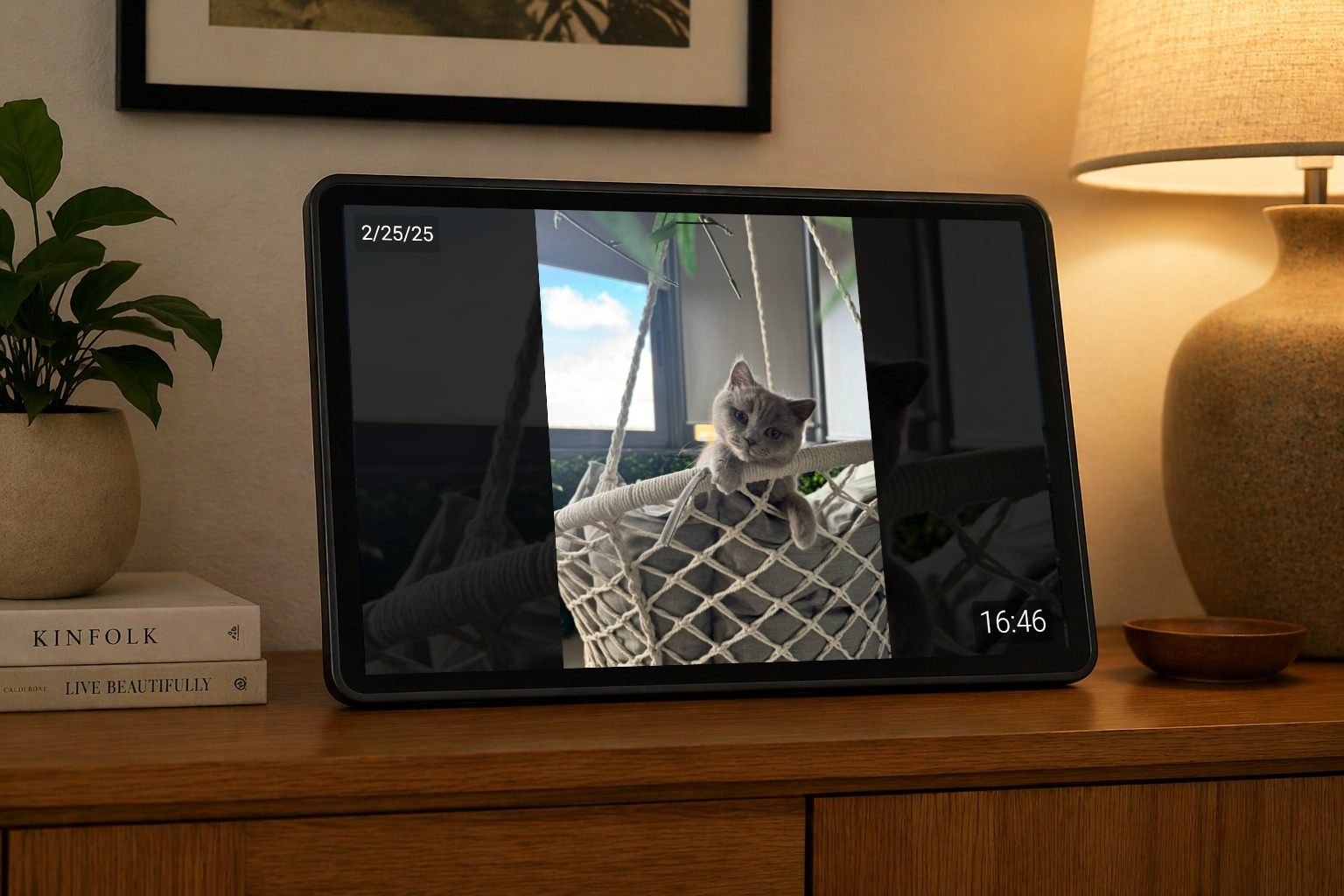
Portrait photos fill the screen edge-to-edge with a beautiful blurred version of the same photo.
Scheduled Playback
Auto-start and auto-stop the slideshow on a schedule. Never forget to turn it off at night.
Live Photos & Videos
Plays the moving part of a Live Photo before settling on the still, and plays your videos. Some videos only play on devices that support their format; when they cannot, the photo is shown.
Star Rating Sync
Rate photos with 1-5 stars directly from the slideshow. Syncs back to Synology Photos instantly.
Caption & Clock Overlay
Fully customizable caption and clock overlays. 6 snap positions, custom fonts, size and opacity.
Android TV Screensaver
Run FrameSway as a native Android TV screensaver. Set it once in Display settings and your photos start automatically whenever the TV is idle.
Every photo tells
its own story.
Choose how your memories flow — from silky crossfades to dramatic 3D cube rotations.


Silky crossfade
Your photos,
everywhere they live.
See FrameSway in every mode.
Full-screen immersion with your photos. Add location captions and a live clock — it looks like a luxury digital frame.
More Features
Smart Curation with Synology Photos
In Synology Photos, create a Conditional Album with a rule that shows only photos rated Unrated (0 stars) or 5 stars. Set that album as the source in FrameSway.
As the slideshow plays, whenever a photo appears that you'd rather not see again, simply tap the screen to reveal controls and rate it 1 star — it will automatically disappear from the album and never show on your frame again.
Over time your frame becomes a curated highlight reel of your very best moments. ✨
Start your
photo journey today.
Transform any Android tablet into a stunning digital photo frame. Free to download.

Got questions?
We've got answers.
Loving FrameSway? Tell us.
Your feedback shapes what we build next. Report a bug, suggest a feature, or just say hello.